
Inhouse Renderfarm and local GPU Renderserver

Inhouse Rendering Performance

Inhouse Render Farm and Render Nodes for Local Rendering Performance

Local rendering performance for teams, studios and professional production environments – from compact GPU render nodes to central render servers.

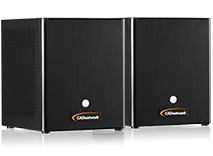
RenderCube GPU

RenderCube® GPU

Typical use Workstation / office / small team
GPU configuration 1 GPU (e.g. NVIDIA RTX Blackwell)
Key feature GPU render node for workstation proximity and small rendering environments
Configure now
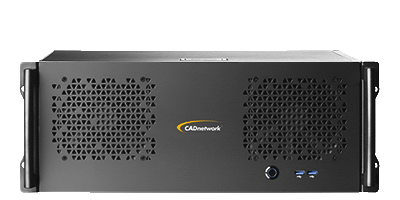
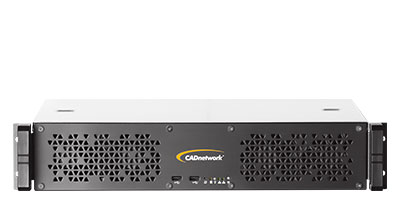
RenderCube Rack GPU

RenderCube® Rack GPU

Typical use Team / technical room / server room
GPU configuration up to 4 GPUs (e.g. NVIDIA RTX Blackwell)
Key feature Flexible tower/rack server for teams and studios
Configure now
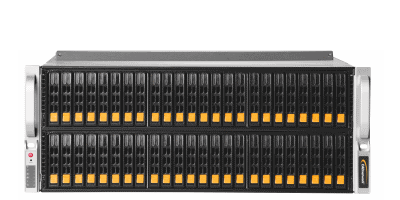
RenderCube Rack 8GPU

RenderCube® Rack 8GPU

Typical use Department / server room / large teams
GPU configuration up to 8 GPUs (e.g. NVIDIA RTX Blackwell)
Key feature 8-GPU rack server for maximum rendering performance in a compact footprint
Configure now

For Common 3D and GPU Rendering Workflows

Autodesk 3ds Max Autodesk Maya Maxon Cinema 4D Chaos V-Ray Otoy Octane Render Maxwell Render Arnold Render Adobe After Effects Corona Render Redshift Blender

Inhouse Render Farm - Fast. Simple. Full Control.

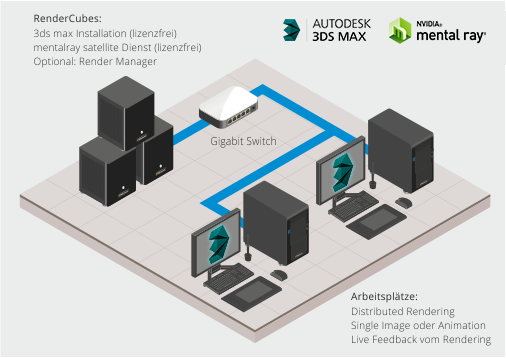
Accelerate your renderings and free up your workstation with an inhouse render farm on your own network. Whether using a single RenderCube® at the workstation or multiple RenderCube® systems in a server rack for the entire team, the principle remains the same. Additional GPU rendering performance is provided where it is needed – locally, directly accessible and without outsourcing render jobs to the cloud.


RenderCube® systems are designed to integrate easily into existing 3D and rendering workflows. Windows and Mac workstations can be integrated into the workflow depending on the renderer and render manager. Set up the system, connect it to the network, integrate the rendering environment and use the available rendering performance – depending on the renderer, network structure and selected preparation, this can quickly become a powerful local render farm.

This keeps workstations available for the actual project work while render jobs are processed on dedicated GPU hardware. You retain control over hardware, data, project files, priorities and render jobs – and get exactly what a good render farm is about: more speed, less waiting and an infrastructure that adapts to your workflow.

More Rendering Performance. Less Waiting. No Cloud Dependency.
With RenderCube® systems, you create an inhouse render farm that frees up your workstations, reduces rendering times and gives you full control over data, hardware and render jobs.

RenderCube Inhouse Render Farm RenderCube® Inhouse Render Farm

Your Render Farm. Your Pace. Your Control.

More rendering performance is good. Even better is rendering performance you can control.
A render manager turns individual render nodes into a controllable inhouse render farm: start jobs, monitor queues, set priorities, utilize nodes and keep track of rendering progress. Instead of blocking a workstation for hours, render jobs are distributed across the network and processed wherever capacity is available.

Render Manager Inhouse Render Farm
12 render nodes online
38 Jobs today
412 Frames rendered
92% GPU utilization
Job Project Status Progress Priority
Interior_Final_4K Studio A Rendering High
Product_Turntable Marketing Queued Normal
Animation_Shot_018 Film Rendering High
Preview_Lighting Lookdev Done Low
Beispielhafte Darstellung: Renderjobs, Nodes und Priorities zentral im Blick.

This creates exactly what you need in day-to-day production: less waiting, better visibility and full control over render jobs, resources and deadlines.

Depending on the renderer, workflow and system configuration, render managers such as Deadline, Royal Render or comparable solutions can be used. The interface shown is an illustrative visualization demonstrating the principle: not just having rendering performance, but controlling it.

Compatible with Common GPU Rendering Workflows

RenderCube® systems are designed for network-capable GPU renderers and professional 3D workflows – for example with V-Ray, Redshift, Octane, Blender, Cinema 4D, 3ds Max or Maya.
Damit lassen sich Renderjobs lokal im eigenen Netzwerk auf dedizierte GPU-Rendernodes oder Renderserver verteilen. Die Workstations bleiben für die eigentliche Projectarbeit verfügbar, während die Renderleistung zentral in der eigenen Inhouse-Renderfarm bereitsteht.
Whether a single GPU render node, a scalable render server or a larger render farm: RenderCube® systems provide a flexible foundation for local rendering performance without unnecessary cloud dependency.

Supported GPU Renderer

Ready-to-Render Technology

An inhouse render farm should provide rendering performance – not create additional setup work. RenderCube® systems can be prepared for the intended use and supplied with suitable hardware, drivers, operating system and a basic rendering environment.
Depending on the workflow, renderer setup, render management, network access, storage paths and functionality tests can be taken into account. This creates not only a powerful system, but a local rendering solution designed to integrate as easily as possible into the existing production environment.
Set Up. Connect. Render.
Ready-to-Render stands for preconfigured rendering performance from a single source – local, controllable and without unnecessary cloud dependency.

CADnetwork RenderCube Ready-to-Render Software Stack Ready-to-Render™ Technologie